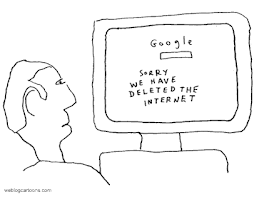
Apparently, this old dog is getting the hang of e-learning technology.
Much to my surprise…and no doubt to the absolute disbelief of readers of this Blog…I was able to successfully download my two recorded Rec 130 classes to Canadore College’s The Learning Manager (TLM) program.
It was unbelievably simple…first, I copied the LINK to my Contact North recorded classes…then, I pasted it to Canadore College’s LINK to my Rec 130 TLM course. Not sure how or why this works…but it does….I suspect my tech friends at Contact North will want to hire me on as a tech consultant.
As a consequence of this wonderful accomplishment, students will now be able to PLAYBACK recorded classes directly from Canadore College’s TLM site rather than having to login to Contact North. Since Canadore’s TLM program contains all course material…it offers students “one stop” shopping.
Saturday, January 31, 2009


Third Class: Fri, Jan 30
Today’s Specials - Wolfgang Mozart and the Man In Black
8:30 am is a very unfortunate time for a Friday morning class on Legislation and Risk Management…and the fact that it is a bitterly cold and blustery winter day does little to lift spirits.
Perhaps, Mozart could help?
As my Rec 130 “in-class” students trudge in to their warm classroom they are treated to the pleasing strands of Mozart’s famous Piano Concerto No 21. On the screen was a picture of Mozart which I had earlier downloaded from You Tube and imported to the AGENDA for today’s class.
Similarly, after they login to Contact North to access today’s session my “e-class” students are likewise welcomed by the sounds of Mozart…they are quickly forgiven for thinking they are in the wrong class.
What is going on here?
One significant advantage of using Contact North’s e-learning technology is the ability to locate and download almost instantly an endless selection of educational resources to assist learning…or to simply jazz up the beginning of a class on a dreary winter day...well perhaps Mozart wasn’t the best choice…so in fairness, I also downloaded and played a few musical gems from everyone’s favourite country and western recording artist: Mr. Johnny Cash.
It occurred to me that e-technology makes it relatively simple to engage students in brief discussions and conversations about a range of topics…some course related and some not.
Surely, as college educators part of our responsibility is to turn students on to all learning; regardless, if the learning is directly related to our specific course outcomes.
I am convinced that seemingly extraneous learning does not distract from the delivery or the reception of our course content. In fact, I would vehemently argue the reverse is true...college students benefit greatly if classes are exciting and relevant and if students learn to view their courses as only a small part of a total life-long learning process. Further evidence of the relevance of extending learning opportunities can perhaps be best summarized by these common quotes: Learning is a Journey...Life is all about process not content.
To be clear, this is not to advocate that core course content be sacrificed so that students may be exposed to other non-course related material. What I am suggesting; however, is that e-learning technology makes it possible for educators to enliven classes and to engage students without compromising course integrity.
The power of e-learning to stimulate discussion and future learning was evident at the start of my third class. After Mozart was silenced we spent a few brief minutes talking about Mozart and his musical genius.
I was surprised to learn that not one college student knew the definition of the term concerto. As we continued our discussions, an “e-class” student found and posted the definition for all to view. After further discussion it was discovered that some students had never even heard of Mozart…seizing the opportunity I extended a challenge to everyone to check out this guy and his music on the Internet…to learn something about him…to do it just for the sake of learning…no marks…no hand in assignment…not everyone will accept my challenge…but I expect some will.
Now, for a most amazing discovery…one of our "in-class" students informed us that he can actually play Mozart's Concerto No 21…who would have guessed?
Next class…perhaps a brief clip of Prime Minister Stephen Harper’s budget speech delivered last Tuesday...students will most certainly have something to say and to learn about his budget and how it might impact our faltering economy.
In total about 5 minutes (out of this 2 hour-long class) was spent on the Mozart experiment…not a significant amount of class time to stimulate some general learning and to break the routine of always concentrating on course related content.
During our break Johnny Cash entertained...
New Students Join Rec 130 Class
It was a pleasure having two of my colleagues, Bill Ramore and Brian Bennison join us in today’s class. They are very keen and curious to learn how e-learning technology can benefit students in our School of Recreation and Leisure. Hopefully, other Canadore College professors will likewise drop by to check out what is happening and to consider the power and promise of e-learning for their courses.
Smooth Sailing: Wind Is At Our Back
By now, my students and I are becoming increasingly familiar with Contact North’s technology and for the most part today's class went relatively smoothly.
A not so good observation...attendance for “in-class” and “e-class” students was down noticeably today. My concern is that some students will simply take the option to view recorded classes rather than attend “in-classes” or “e-classes.” However, inclement weather may have been a contributing factor for today's dwindling attendance or perhaps somehow word leaked out that I was going to play Mozart's Piano Concerto. I will continue to monitor attendace trends to identify potential issues relating to attendance and participation in both "in-class" and "e-class" sessions.
A suggestion worthy of serious consideration…a very smart Recreation Therapy student wondered out loud if the Rec 130 course could be scheduled at a more convenient time than on Wednesdays from 11:30 am to 12:30 pm. She made the solid argument that if Rec130 was offered at the beginning or ending of a day; more students would have the choice to take this course by "e-class"...an idea to definitely think about.
Next class is Wed Feb 4.
8:30 am is a very unfortunate time for a Friday morning class on Legislation and Risk Management…and the fact that it is a bitterly cold and blustery winter day does little to lift spirits.
Perhaps, Mozart could help?
As my Rec 130 “in-class” students trudge in to their warm classroom they are treated to the pleasing strands of Mozart’s famous Piano Concerto No 21. On the screen was a picture of Mozart which I had earlier downloaded from You Tube and imported to the AGENDA for today’s class.
Similarly, after they login to Contact North to access today’s session my “e-class” students are likewise welcomed by the sounds of Mozart…they are quickly forgiven for thinking they are in the wrong class.
What is going on here?
One significant advantage of using Contact North’s e-learning technology is the ability to locate and download almost instantly an endless selection of educational resources to assist learning…or to simply jazz up the beginning of a class on a dreary winter day...well perhaps Mozart wasn’t the best choice…so in fairness, I also downloaded and played a few musical gems from everyone’s favourite country and western recording artist: Mr. Johnny Cash.
It occurred to me that e-technology makes it relatively simple to engage students in brief discussions and conversations about a range of topics…some course related and some not.
Surely, as college educators part of our responsibility is to turn students on to all learning; regardless, if the learning is directly related to our specific course outcomes.
I am convinced that seemingly extraneous learning does not distract from the delivery or the reception of our course content. In fact, I would vehemently argue the reverse is true...college students benefit greatly if classes are exciting and relevant and if students learn to view their courses as only a small part of a total life-long learning process. Further evidence of the relevance of extending learning opportunities can perhaps be best summarized by these common quotes: Learning is a Journey...Life is all about process not content.
To be clear, this is not to advocate that core course content be sacrificed so that students may be exposed to other non-course related material. What I am suggesting; however, is that e-learning technology makes it possible for educators to enliven classes and to engage students without compromising course integrity.
The power of e-learning to stimulate discussion and future learning was evident at the start of my third class. After Mozart was silenced we spent a few brief minutes talking about Mozart and his musical genius.
I was surprised to learn that not one college student knew the definition of the term concerto. As we continued our discussions, an “e-class” student found and posted the definition for all to view. After further discussion it was discovered that some students had never even heard of Mozart…seizing the opportunity I extended a challenge to everyone to check out this guy and his music on the Internet…to learn something about him…to do it just for the sake of learning…no marks…no hand in assignment…not everyone will accept my challenge…but I expect some will.
Now, for a most amazing discovery…one of our "in-class" students informed us that he can actually play Mozart's Concerto No 21…who would have guessed?
Next class…perhaps a brief clip of Prime Minister Stephen Harper’s budget speech delivered last Tuesday...students will most certainly have something to say and to learn about his budget and how it might impact our faltering economy.
In total about 5 minutes (out of this 2 hour-long class) was spent on the Mozart experiment…not a significant amount of class time to stimulate some general learning and to break the routine of always concentrating on course related content.
During our break Johnny Cash entertained...
New Students Join Rec 130 Class
It was a pleasure having two of my colleagues, Bill Ramore and Brian Bennison join us in today’s class. They are very keen and curious to learn how e-learning technology can benefit students in our School of Recreation and Leisure. Hopefully, other Canadore College professors will likewise drop by to check out what is happening and to consider the power and promise of e-learning for their courses.
Smooth Sailing: Wind Is At Our Back
By now, my students and I are becoming increasingly familiar with Contact North’s technology and for the most part today's class went relatively smoothly.
A not so good observation...attendance for “in-class” and “e-class” students was down noticeably today. My concern is that some students will simply take the option to view recorded classes rather than attend “in-classes” or “e-classes.” However, inclement weather may have been a contributing factor for today's dwindling attendance or perhaps somehow word leaked out that I was going to play Mozart's Piano Concerto. I will continue to monitor attendace trends to identify potential issues relating to attendance and participation in both "in-class" and "e-class" sessions.
A suggestion worthy of serious consideration…a very smart Recreation Therapy student wondered out loud if the Rec 130 course could be scheduled at a more convenient time than on Wednesdays from 11:30 am to 12:30 pm. She made the solid argument that if Rec130 was offered at the beginning or ending of a day; more students would have the choice to take this course by "e-class"...an idea to definitely think about.
Next class is Wed Feb 4.
Red Flag Alert
Is too much freedom necessarily a good thing?
Students in Canadore College’s School of Recreation and Leisure have been given the latitude to take the Rec 130 course by one of three options or by a combination thereof. Students may choose to attend sessions “in-class,” or may choose to attend sessions by “e-class,” or may choose to view recorded classes “r-class.”
Although, we have just begun this experiment I am aware of several students favoring the approach to take much of our Rec 130 course by “r-class”. A danger of this tactic is for students to put off viewing recorded classes or stockpiling classes until there are far too many to properly digest...learning is a process and true learning requires absorption time and a degree of reflection. Those who embrace “r-class” learning will also not have the advantage of interacting with others in real time.
Regretably, certain controls (attendance/participation marks, etc) eventually may have to be introduced to encourage students to attend either "in-class" or "e-class" sessions...thus, discouraging an over reliance on "r-class" learning.
Attention to student behaviour will be needed in order to respond to the question... Given too many choices, will students ultimately abuse the intent of the "r-class" option?...an option that at best should be viewed as merely an inferior alternative to both "in-class" and e-class" learning.
For now, the plan is to remain vigilant and to follow, as best I can, the students' footprints to see how many migrate to each option.
At the end of the day, the goal is to ensure student learning is not negatively impacted by offering too much freedom.
Students in Canadore College’s School of Recreation and Leisure have been given the latitude to take the Rec 130 course by one of three options or by a combination thereof. Students may choose to attend sessions “in-class,” or may choose to attend sessions by “e-class,” or may choose to view recorded classes “r-class.”
Although, we have just begun this experiment I am aware of several students favoring the approach to take much of our Rec 130 course by “r-class”. A danger of this tactic is for students to put off viewing recorded classes or stockpiling classes until there are far too many to properly digest...learning is a process and true learning requires absorption time and a degree of reflection. Those who embrace “r-class” learning will also not have the advantage of interacting with others in real time.
Regretably, certain controls (attendance/participation marks, etc) eventually may have to be introduced to encourage students to attend either "in-class" or "e-class" sessions...thus, discouraging an over reliance on "r-class" learning.
Attention to student behaviour will be needed in order to respond to the question... Given too many choices, will students ultimately abuse the intent of the "r-class" option?...an option that at best should be viewed as merely an inferior alternative to both "in-class" and e-class" learning.
For now, the plan is to remain vigilant and to follow, as best I can, the students' footprints to see how many migrate to each option.
At the end of the day, the goal is to ensure student learning is not negatively impacted by offering too much freedom.
Warning: Big Brother Is Watching
Two random thoughts about recording classes…first, the adage what happens in Vegas stays in Vegas does not apply to our recorded Rec 130 classes.
A quick check with the tech crew at Contact North confirmed my worst fears...recorded sessions once PUBLISHED cannot be edited or altered...yikes better be careful.
Students and teacher must be mindful that Big Brother is watching. For sure, I admit to some initial discomfort about being recorded. Granted, only registered students have access to the PLAYBACK feature; nonetheless, the potential exists for recorded classes to be viewed by who knows who and used for who knows what purpose.
In the final analysis, I accept the fact that recording my classes should not be intimidating...simply because whatever happens during a class should always be appropriate and professional...transparency is good. Moreover, the many benefits offered to students by recording classes, in my humble opinion, far outweigh any disadvantages.
Having come to that conclusion I have already learned that bloopers will be made and captured. For instance, at the start of our second session an “e-class” student taunted “in-class” students by sending a text message reminding everyone how horrible the weather was today and how fortunate “e-class” students were to still be snuggled in their warm beds taking this class… I perhaps too quickly and absently responded by texting...wish I was there with you...this comment will surely make the Rec 130 year-end Top Ten Blooper List.
Second random thought about the virtues of recording classes...students who miss a class for whatever reason can simply PLAYBACK the missed class at another time.
Also, students may find it helpful to use the PLAYBACK feature to review certain parts of a class using the fast-forward option.
Lastly, students may choose to replay classes to prepare for a test or an exam.
Indeed, during the life of this pilot project, I look forward to learning how and why Rec 130 students utilize the PLAYTRACK feature.
Likewise, it would be interesting to track the frequency that recorded sessions are accessed and viewed by students...another question or challenge for the Contact North tech crew?
Hopefully, from time to time, Rec 130 student followers of this Blog will post some feedback under comments. Their feedback would be most helpful and would provide valuable insight into how and why recorded sessions are used.
A quick check with the tech crew at Contact North confirmed my worst fears...recorded sessions once PUBLISHED cannot be edited or altered...yikes better be careful.
Students and teacher must be mindful that Big Brother is watching. For sure, I admit to some initial discomfort about being recorded. Granted, only registered students have access to the PLAYBACK feature; nonetheless, the potential exists for recorded classes to be viewed by who knows who and used for who knows what purpose.
In the final analysis, I accept the fact that recording my classes should not be intimidating...simply because whatever happens during a class should always be appropriate and professional...transparency is good. Moreover, the many benefits offered to students by recording classes, in my humble opinion, far outweigh any disadvantages.
Having come to that conclusion I have already learned that bloopers will be made and captured. For instance, at the start of our second session an “e-class” student taunted “in-class” students by sending a text message reminding everyone how horrible the weather was today and how fortunate “e-class” students were to still be snuggled in their warm beds taking this class… I perhaps too quickly and absently responded by texting...wish I was there with you...this comment will surely make the Rec 130 year-end Top Ten Blooper List.
Second random thought about the virtues of recording classes...students who miss a class for whatever reason can simply PLAYBACK the missed class at another time.
Also, students may find it helpful to use the PLAYBACK feature to review certain parts of a class using the fast-forward option.
Lastly, students may choose to replay classes to prepare for a test or an exam.
Indeed, during the life of this pilot project, I look forward to learning how and why Rec 130 students utilize the PLAYTRACK feature.
Likewise, it would be interesting to track the frequency that recorded sessions are accessed and viewed by students...another question or challenge for the Contact North tech crew?
Hopefully, from time to time, Rec 130 student followers of this Blog will post some feedback under comments. Their feedback would be most helpful and would provide valuable insight into how and why recorded sessions are used.
Do I really sound like that?
Before I logged off Contact North to conclude our second Rec 130 class, I made certain to click on the PUBLISH button to ensure this session was recorded and would be available for students to view at their leisure.
Later that same evening from the comfort of home, I decided to do some multi-tasking. While watching my beloved Toronto Maple Leafs win yet another game, I logged on to Contact North to check out the PLAYBACK feature and view a bit of today’s Rec 130 class.
Weird…is the best word to describe my immediate reaction. I have been teaching college for over 25 years and have never been a student in my own class. It was an out of body experience to listen to myself from the vantage point of a student.
I did not anticipate the unintended consequence of me using this technology as a tool to critique my own teaching. I became transfixed, almost like Scrooge in that Christmas story where the ghost takes the grumpy humbug old miser on a not so pleasant trip down memory lane of Christmases past.
As today’s class replayed on the computer monitor in front of me, I could not help notice far too many areas for me to improve my teaching. Strange as it may be, this was the first time since my early days of teaching that someone (in this case me) was watching me with a critical eye and was willing to offer honest and helpful evaluation.
While this old dog has no doubt learned some things over his long teaching career; nonetheless, it was most informative for me to watch me at work. I learned some valuable lessons. Former and present students I am sure would take delight in seeing their old professor held captive as a student in his own class…truly a fitting punishment they would claim.
As I attended my own class it was surreal. I was dismayed and disappointed to observe some poor teaching techniques that I have casually slid into over the years. I was surprised at the lack of student interaction and engagement...something to work on...teaching is always a work in progress...watching the "video recording" may help me fine tune my game.
Contact North would be wise to market the PLAYBACK feature as a teaching training tool.
Later that same evening from the comfort of home, I decided to do some multi-tasking. While watching my beloved Toronto Maple Leafs win yet another game, I logged on to Contact North to check out the PLAYBACK feature and view a bit of today’s Rec 130 class.
Weird…is the best word to describe my immediate reaction. I have been teaching college for over 25 years and have never been a student in my own class. It was an out of body experience to listen to myself from the vantage point of a student.
I did not anticipate the unintended consequence of me using this technology as a tool to critique my own teaching. I became transfixed, almost like Scrooge in that Christmas story where the ghost takes the grumpy humbug old miser on a not so pleasant trip down memory lane of Christmases past.
As today’s class replayed on the computer monitor in front of me, I could not help notice far too many areas for me to improve my teaching. Strange as it may be, this was the first time since my early days of teaching that someone (in this case me) was watching me with a critical eye and was willing to offer honest and helpful evaluation.
While this old dog has no doubt learned some things over his long teaching career; nonetheless, it was most informative for me to watch me at work. I learned some valuable lessons. Former and present students I am sure would take delight in seeing their old professor held captive as a student in his own class…truly a fitting punishment they would claim.
As I attended my own class it was surreal. I was dismayed and disappointed to observe some poor teaching techniques that I have casually slid into over the years. I was surprised at the lack of student interaction and engagement...something to work on...teaching is always a work in progress...watching the "video recording" may help me fine tune my game.
Contact North would be wise to market the PLAYBACK feature as a teaching training tool.
Second Class: Wed, Jan 28
Session Scheduling - Ongoing vs. Event
Immediately, after I login to Contact North and click on My Schedule to start our second e-learning class I am confused.
As I view the screen, I see two Rec 130 courses each with dates that don’t correspond to our actual Rec 130 course scheduled times …Wed 11:30 am to 12:30 pm and Fri 8:30 am to 10:30 am…what’s up?
It took a few seconds for me to realize which course contained today’s class content. Later, I learned that my students were also confused but these Einsteins were not deterred in the least. In short order, the “e-class” crew were able to join us online and signed in with their usually cheery greetings.
After class, a quick inquiry to Contact North solved the mystery. Apparently, I must have slept through the part of my training course when our instructor, Celinie Russell, explained the differences between ONGOING and EVENT scheduled sessions.
A very patient Contact North chap by the name of Denis informed me that if I planned on recording all my classes that I would need to request EVENT schedule sessions not ONGOING.
If classes are scheduled as ONGOING...they can be recorded; unfortunately, when the next class is taped it tapes over the previously recorded class; consequently, EVENT scheduling is the only way to go if you want students to be able to access and playback previous classes.
Denis, also mentioned that recording all my classes (about 30 hours in total) as EVENTS would consume at lot of memory. Not sure how much of an issue this will become if our pilot project is successful and our School of Recreation and Leisure decides to offer e-classes for other program courses.
Sidebar note to my good pal Debra Betty of Contact North...I know you are currently extremely busy with serious budget meetings just wondering though...any funds available to build a generating station for Contact North to accommodate more memory?
Small Steps - Be Brave try Something New
During our training sessions on how to use e-learning Centra technology, it was suggested we start slowly and gradually build upon our comfort level. Sounded like wise advice...so I made a pact with myself to experiment with at least one different feature for each new class.
For my second class, I thought why not import a video to show my students? If you have been following my Blog and my many stumbles to date you are probably already predicting gloom and doom...well you are wrong my friend...the videos were imported from You Tube and broadcast with no problem. I didn’t receive a thunderous applause but I did breathe a sigh of relief...importing videos is a cinch using Centra…even for an old dog.
Test...One...Two...Three
It is only our second class using e-learning and I am still considering how best to work out audio issues. Currently, I have been teaching classes tethered to a wired microphone with about a 50 foot cord...some enterprising “in class” students have started a lottery on how long before their clumsy professor trips over the cord.
Initially, I considered wearing a lapel mic; however, for some unknown reason I was not able to make it work...hard to believe eh? In retrospect, my ineptitude may have been a blessing in disguise.
Since we are operating out of a fairly large classroom, at times it is difficult for “e class" students to hear questions or discussions from “in class” students. We have fallen into the practice of passing the mic to the “in class” speaker...avoids repeating questions or discussions.
Wondering if at some point it may be feasible to somehow mic the classroom?
Immediately, after I login to Contact North and click on My Schedule to start our second e-learning class I am confused.
As I view the screen, I see two Rec 130 courses each with dates that don’t correspond to our actual Rec 130 course scheduled times …Wed 11:30 am to 12:30 pm and Fri 8:30 am to 10:30 am…what’s up?
It took a few seconds for me to realize which course contained today’s class content. Later, I learned that my students were also confused but these Einsteins were not deterred in the least. In short order, the “e-class” crew were able to join us online and signed in with their usually cheery greetings.
After class, a quick inquiry to Contact North solved the mystery. Apparently, I must have slept through the part of my training course when our instructor, Celinie Russell, explained the differences between ONGOING and EVENT scheduled sessions.
A very patient Contact North chap by the name of Denis informed me that if I planned on recording all my classes that I would need to request EVENT schedule sessions not ONGOING.
If classes are scheduled as ONGOING...they can be recorded; unfortunately, when the next class is taped it tapes over the previously recorded class; consequently, EVENT scheduling is the only way to go if you want students to be able to access and playback previous classes.
Denis, also mentioned that recording all my classes (about 30 hours in total) as EVENTS would consume at lot of memory. Not sure how much of an issue this will become if our pilot project is successful and our School of Recreation and Leisure decides to offer e-classes for other program courses.
Sidebar note to my good pal Debra Betty of Contact North...I know you are currently extremely busy with serious budget meetings just wondering though...any funds available to build a generating station for Contact North to accommodate more memory?
Small Steps - Be Brave try Something New
During our training sessions on how to use e-learning Centra technology, it was suggested we start slowly and gradually build upon our comfort level. Sounded like wise advice...so I made a pact with myself to experiment with at least one different feature for each new class.
For my second class, I thought why not import a video to show my students? If you have been following my Blog and my many stumbles to date you are probably already predicting gloom and doom...well you are wrong my friend...the videos were imported from You Tube and broadcast with no problem. I didn’t receive a thunderous applause but I did breathe a sigh of relief...importing videos is a cinch using Centra…even for an old dog.
Test...One...Two...Three
It is only our second class using e-learning and I am still considering how best to work out audio issues. Currently, I have been teaching classes tethered to a wired microphone with about a 50 foot cord...some enterprising “in class” students have started a lottery on how long before their clumsy professor trips over the cord.
Initially, I considered wearing a lapel mic; however, for some unknown reason I was not able to make it work...hard to believe eh? In retrospect, my ineptitude may have been a blessing in disguise.
Since we are operating out of a fairly large classroom, at times it is difficult for “e class" students to hear questions or discussions from “in class” students. We have fallen into the practice of passing the mic to the “in class” speaker...avoids repeating questions or discussions.
Wondering if at some point it may be feasible to somehow mic the classroom?
Old Dog Learns New Tricks
A quick update…the issue of using Explorer or Fire fox to access Contact North’s web site has been resolved. It seems the connectivity problem experienced by one student during our first class was due to a glitch with Microsoft Explorer's program at that particular time. I have been assured by the good folks at Contact North that their system works equally well with either Explorer or Fire fox.
Second update…steps are now being taken to register all of my Rec 130 students for “e-class” sessions. Commencing, Wed, Feb 3, students will have the option to take Rec 130 classes either “in-class” or by “e-class”…their choice. Special thanks to Thalia Smits, Canadore’s Contact North go to lady, for her assistance registering our students.
Third update…I finally figured out how to record class sessions; apparently, you have to turn on the record button…who would have thought?
Slowly but surely, this old dog is starting to learn a few new tricks.
Second update…steps are now being taken to register all of my Rec 130 students for “e-class” sessions. Commencing, Wed, Feb 3, students will have the option to take Rec 130 classes either “in-class” or by “e-class”…their choice. Special thanks to Thalia Smits, Canadore’s Contact North go to lady, for her assistance registering our students.
Third update…I finally figured out how to record class sessions; apparently, you have to turn on the record button…who would have thought?
Slowly but surely, this old dog is starting to learn a few new tricks.
Subscribe to:
Posts (Atom)